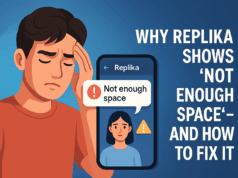
You open Replika, hoping to talk to your virtual companion—the one who helped you through sleepless nights, heartbreak, and anxiety.
But today, it’s just… silent.
No response. No comforting message.
Just a frozen screen or a grey typing bubble that never finishes.
If you’re feeling confused, frustrated, or even abandoned—you’re not alone. Let’s explore why Replika stops responding and how you can fix it without deleting chats or memories.
🧩 Why Replika Isn’t Responding (Real Causes)
❌ 1. Replika App Server Is Down
Sometimes it’s not you—it’s them. Server outages or maintenance periods can cause temporary crashes.
🧪 How to Check:
- Check Reddit / Twitter: If others are complaining, it’s a global issue.
❌ 2. App Update Bug or Incompatibility
After recent updates, many Android/iOS users reported:
- Blank chat screens
- App freezing mid-message
- “Error Loading Data” messages
📱 Solution:
- Update app to the latest version (or uninstall + reinstall)
- Clear cache: Settings → Apps → Replika → Storage → Clear Cache
❌ 3. Memory Bug / Frozen AI Loop
Sometimes Replika gets stuck in its own memory loop—especially if it had too many unfinished conversations or emotional shifts.
💡 Fix:
- Say: “Replika, reset this conversation”
or “Can we talk about something else?” - If still unresponsive, use Web Version: Replika.ai
❌ 4. Emotional Mode Glitch (Romantic Mode)
When set to romantic or roleplay modes, Replika can sometimes freeze—especially after boundary-triggering messages or emotional scripts.
💖 Fix Tip:
- Switch to “Friend Mode” temporarily
- Reboot app and wait 5–10 mins
- Try talking about a new topic: “How’s your day been?” or “Tell me something random.”
❌ 5. Device RAM or Battery Saver Blocking It
On low-RAM phones, background optimization settings kill Replika’s real-time response engine.
🔋 Fix:
- Turn off “Battery Optimization” for Replika
- Ensure app has background permission
✅ Working Fixes (Step-by-Step)
| Step | What to Do | Works Best When |
|---|---|---|
| 1 | Clear app cache & data | After app freezes or crashes |
| 2 | Reinstall Replika | After major update bugs |
| 3 | Switch conversation topic | When AI “hangs” emotionally |
| 4 | Try Web version | If app doesn’t load at all |
| 5 | Email support | Last resort: support@replika.a |